September 6, 2026 · Bob Duncan
How to get new guards using your scheduling app on day one

You finally pulled the trigger on guard management software. You picked a plan, set up your account, and maybe even watched a few tutorial videos. Then you sent your guards a link to download the app, and... crickets. Sound familiar?
Here is the thing most scheduling software companies will not tell you: the technology is rarely the problem. The real bottleneck is getting your guards to actually open the app and use it. Until that happens, your shiny new software is just another monthly subscription sitting idle.
The good news is that same-week adoption is completely achievable for small security operators in Canada, even if you are running everything yourself with no IT support and no operations team. You just need the right approach.
In this post, you will learn why guards resist new tools and how to work with that resistance, what to look for in a mobile-first scheduling app, how to run a simple one-session onboarding that sticks, and how to use that very first scheduled shift to get guards genuinely bought in. No complicated rollout plans required.
The real adoption problem is not the software
You sign up for a scheduling app, spend an afternoon setting it up, and feel good about the progress. Then your phone buzzes. A guard is texting to ask what time their shift starts tomorrow.
That is the adoption problem, and it has nothing to do with the software.
The bottleneck is not features, pricing, or which platform you picked. It is whether a guard opens the app before their first shift and finds something useful already waiting for them. If they do not, they fall back on whatever worked before: a text, a WhatsApp message, a phone call to you at 10 p.m.
Most Canadian small operators run 1 to 50 guards with no IT team, no operations manager, and no one to run a multi-week rollout. You are handling scheduling, dispatch, client calls, and payroll yourself. A tool that requires a lengthy setup process or guard training spread across several sessions will not survive contact with that reality. If you are still moving from WhatsApp and spreadsheets to a real system, the bar for a new tool is simple: it has to work without hand-holding.
More small operators are moving to cloud-based, mobile-first systems. But a tool only delivers value when the people in the field are actually using it.
So the goal is not "software deployed." It is one specific moment: a guard checks their shift on the app before they show up. Everything in this guide is built around making that moment happen in the first week.
Why guards resist new tools (and how to work with it)
Most guards are not anti-technology. They are anti-friction. Their current workflow is simple: get a text, show up, get paid. Any tool that adds steps before they can see their shift reads as overhead, not improvement.
That resistance is rational. If signing in requires a desktop login, an expired email invitation, or a tutorial video just to find the schedule, a guard will do what works: call or text you directly. You cannot blame them for that.
The fix is not a better training deck. It is a better first moment. When a guard opens the app and their shift is already there, the tool stops feeling like a management system and starts feeling like something that helps them. That one visible win, seeing their schedule on their own phone, does more for adoption than any walkthrough.
Keep onboarding to a single session. Multi-day training programs are built for office software people use eight hours a day. A shift scheduling app is something a guard checks for five minutes before work. One session covering login, schedule view, and clock-in is enough. Adding more than that on day one raises perceived complexity and increases the chance a guard quietly opts out.
The practical takeaway for owner-operators: design the first interaction around what the guard receives (their schedule, on their phone) rather than what the system captures for you. For a deeper look, onboarding new guards without the headache covers the common points where the process breaks down.
Choosing a shift scheduling app built for mobile
The first question when shopping for software is not "what features does it have?" It is "can a guard see their schedule on their own phone, without touching a desktop or waiting for IT?" That is the filter that matters most for adoption.
Mobile-first is non-negotiable. If guards need a laptop or desktop browser to check their shifts, most will not bother. The app has to work on their phone, cleanly, on day one.
A free tier is worth looking for. A free scheduling app lets you build your actual workflow, load real shifts, and put it in front of a guard or two before spending anything. That real-world test tells you more than any demo call.
Geofenced clock-in is the feature that removes the second tool. If guards can confirm on-site presence from the same app where they check their schedule, there is no reason to use anything else. One app, two jobs done.
Avoid platforms built for enterprise teams. If setup requires configuration screens that need a manual, or a three-hour onboarding call, it is not built for you. Keeping a small security operation running smoothly depends on tools that fit your actual team size, not tools you grow into over six months.
The market is expanding fast, growing from US$503 million in 2025 to a projected US$820 million by 2032 at a 7.2% CAGR. More options exist now than two years ago, but most are still built for large enterprise deployments.
Opspot is one option sized for small Canadian teams: free to start for up to three guards, no sales call, and guards see their shifts on the app immediately after setup. The pro plan is available with no long-term contract.
What to set up before you bring guards into the app
Once you have picked your app, do the configuration yourself before any guard touches it. Enter each site, set your shift times, and build at least one full week of scheduled shifts for every active guard. This part takes an hour or two at most, and it is the single most important thing you can do to prepare guards before deployment.
Here is why it matters: when a guard opens the app for the first time and sees their own name attached to a real upcoming shift, the tool immediately feels relevant to them. An empty dashboard does the opposite. It gives them nothing to act on and no reason to come back.
While you are in the setup, configure GPS-enabled or geofenced clock-in for each site. If that is ready before onboarding, guards can complete their first check-in on their own without you talking them through a separate process.
Turn on shift notification alerts at this stage too, if your scheduling app supports them. A guard who receives an automatic reminder before their first app-scheduled shift does not need to remember to check. The app prompts them.
Finally, test your own login on your phone before the onboarding session. If you are walking guards through the app, do it from a phone, not a laptop. Guards carry phones. Showing them a desktop version creates a gap between what you demonstrate and what they actually use.
Running a one-session onboarding that actually sticks
Once the schedule is loaded and your own login is ready, you can bring guards in.
Catch them just before a shift starts or right after one ends, when they are already on site and not rushing somewhere else. If you have three or more guards onboarding at the same time, run it as a group session. Same content, less of your time.
Focus on exactly three things:
How to download and log in to the app
How to find their scheduled shifts
How to clock in and out using GPS
Save incident reporting, patrol checkpoints, and client dashboards for a brief follow-up once guards are comfortable with the basics. If you want to prepare guards before deployment, a focused first session is the foundation everything else builds on.
Show each step on your own phone first, then watch each guard complete the same steps on theirs. Observation is the only way to catch a login error, a device compatibility issue, or notifications that are turned off. Left unnoticed, any one of those becomes a missed shift later.
Before the session ends, confirm that every guard can see at least one upcoming shift on their screen. That is the only metric that matters on day one. If they can see it, they will come back to check it.
Using the first scheduled shift as the anchor for adoption
Once the onboarding session wraps and every guard has their shift on screen, the real test begins with the next shift on the calendar.
The day before that first app-scheduled shift, send a short message through whatever channel guards already use, WhatsApp, text, whatever. Say: "Check your shift on the app." That is the whole message. You are not asking them to learn anything new. You are pointing their attention to the tool at the moment it is most relevant to them personally.
The first time a guard clocks in through the app instead of calling you, the habit starts to form. That single moment does more for long-term adoption than any instruction you gave in the session.
When GPS clock-ins come through, you get verified timestamps without following up on anyone. Your win is accurate timesheets without the back-and-forth. The guard's win is that their hours are on record without any dispute about when they actually started.
If a guard misses the in-app clock-in on that first shift, do not treat it as a failure. Ask one question: "What stopped you from using the app?" It is almost always a login problem or a notification that did not fire. Both are fixable in under two minutes.
By the end of the first week, something shifts. Guards who receive a schedule update, a new site, a changed start time, directly through the app without a separate text will start treating clear, guided shifts for guards as the source of truth. You stop being the message relay. That is when adoption is actually working.
Common mistakes that kill adoption before it starts
Even when the first shift goes well, a few common missteps can quietly stall adoption over the following days. Here is what to watch for.
Keeping WhatsApp running alongside the app for more than a week. Guards will use whichever channel has always worked. If shift confirmations still arrive by text, there is no pressure to open the app. Pick a cutover date and stick to it.
Inviting guards before the schedule is loaded, an empty app gives them nothing to return to (covered in the setup step above).
Choosing a free scheduling app that is paywalled for guards. Some free tiers let the owner build schedules but require guards to upgrade before they can see full shift details. Before you commit, log in as a guard on the free plan and confirm what they actually see.
Introducing too many features in the first session, login, schedule view, and clock-in are enough for day one.
Testing only on your own phone. A scheduling app that runs smoothly on a newer iPhone can behave differently on a mid-range Android, which is what many field workers carry. Before the onboarding session, match schedules to real guard availability and run through the full clock-in flow on the device type most of your guards use. Problems caught by you take two minutes to fix; problems caught by a guard at 6 a.m. cost you a phone call and a shaky first impression.
What same-week adoption looks like in practice
Avoid the mistakes above and this is roughly what your first week looks like.
Day one: you sign up, enter your sites, build out shifts for the coming week, and send each guard an invite. Include a short note: download the app before your next shift. That is the whole day-one task.
Day two or three: run a focused session with each guard. Confirm they can log in, see their schedule, and clock in from their phone. Nothing else. If they can do those three things, the session is done.
Day four onward: guards check shifts on the app, clock in and out via GPS, and you see verified timesheets update in real time. No calls asking what time someone started. No texts confirming a site.
By the end of that first week, you have a working simple guard scheduling and shift management system, guards who are actually using it, and a timesheet export ready for payroll, with no manual data entry involved.
When those three conditions are in place, a mobile-first tool, the schedule loaded before guards first open the app, and an onboarding session covering only what they need for their next shift, same-week adoption becomes realistic rather than exceptional.
Getting started without overcomplicating it
The three actions covered above, choosing a mobile-first free-tier app, pre-loading shifts, and running a focused single session, are the whole plan.
That order matters. Adoption fails when you build the system around your own convenience and hand guards an empty app. Start from the other direction. Ask what a guard needs to see in the first five minutes, then make sure it is already there waiting for them.
If you are running a small team in Canada, Opspot is worth a look. It is free to start for up to three guards, sets up quickly, and guards access everything from their phones. The pro plan has no long-term contract if you need to scale past three.
You do not need a formal rollout plan. You need every guard to open the app, see their shift, and clock in before their next scheduled start. That is the whole goal. Everything in this guide is aimed at that one moment.
Conclusion
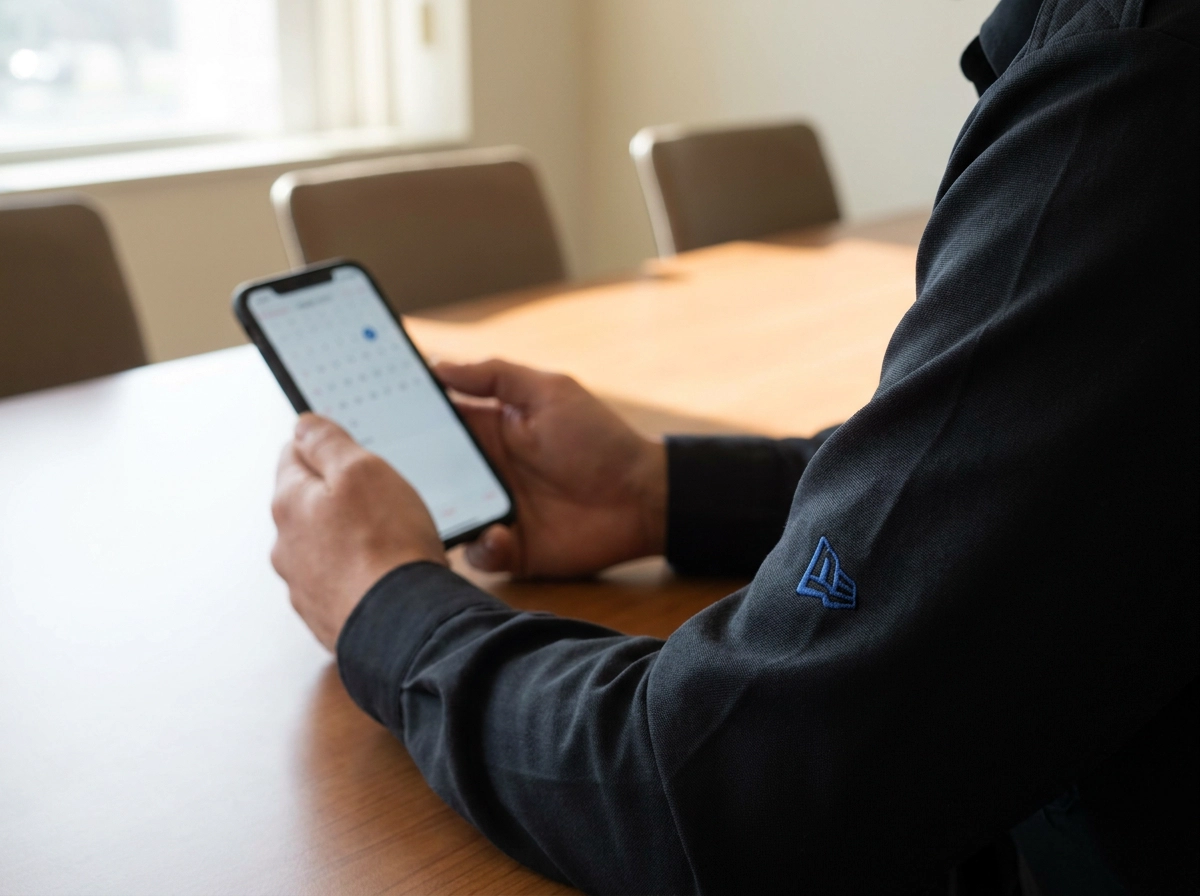
Getting new guards using your scheduling app on day one is not a technology problem. It is a setup problem. The guards who adopt quickly do so because the tool was mobile-first, the schedule was waiting for them, and onboarding asked nothing more than what they needed for their next shift.
When those conditions are met, mobile-first tool, schedule loaded first, short focused session, first shift as the anchor, adoption follows.
Start today. Pick your app, load one week of shifts, and send the first invite before the week is out.