October 19, 2026
Geofence radius at a strip-mall site: how tight is too tight before guards clock in from the parking lot
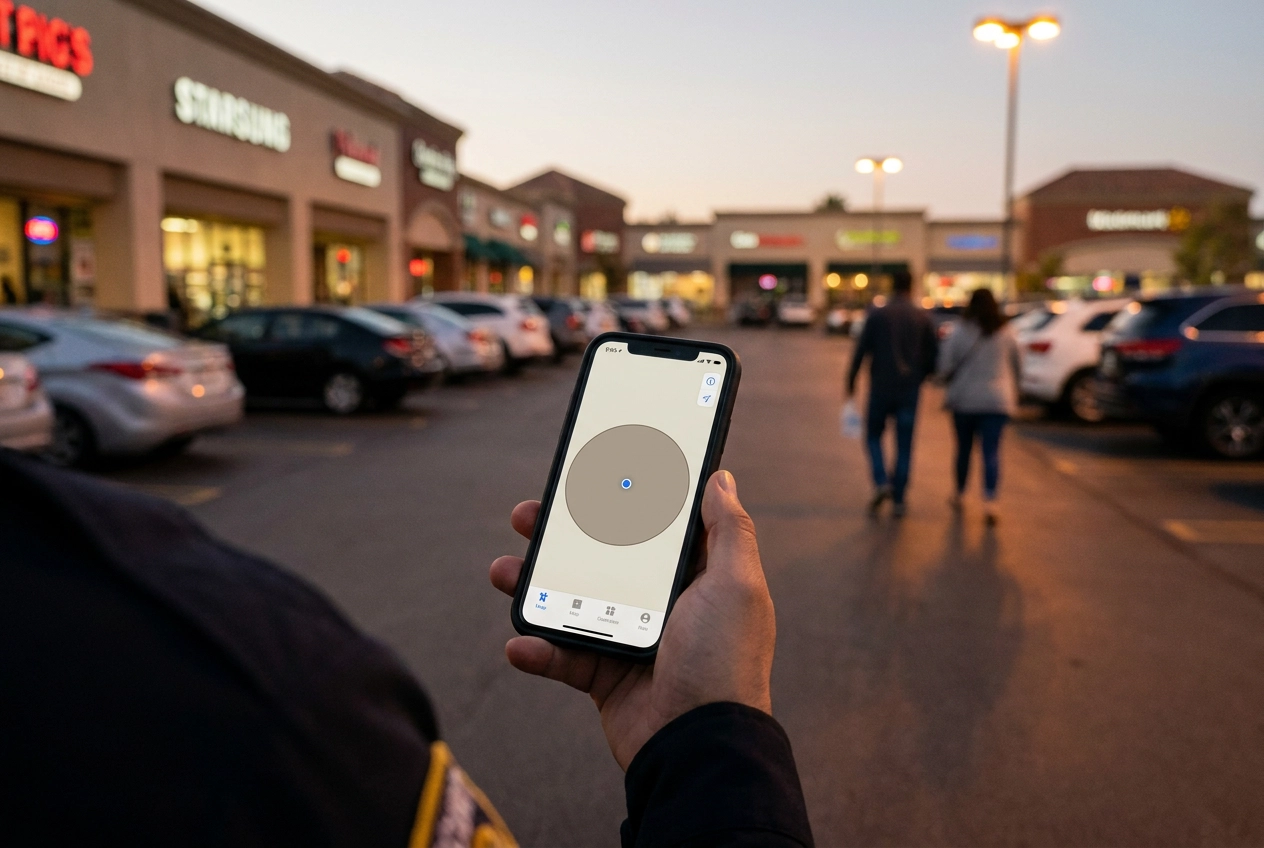
You set a 50-metre geofence around a strip-mall door and think you are done. Then a guard clocks in from the far end of the parking lot, gets flagged, and now you are arguing about GPS instead of managing a site. That is not a technology failure. It is a radius decision made without a plan.
Geofence sizing is a management choice, not a default setting. A fence tighter than your phone's real-world accuracy creates false exceptions, and false exceptions quickly erode trust in the whole clock-in system. In this post, we will look at why that happens and how to fix it. You will learn how to size the radius by site type, from single-door sites to strip malls and mobile patrol routes. We will also cover what a miss should mean, who reviews exceptions, how often, and the tolerance rules that fit common Canadian sites. Finally, we will talk about tuning the radius over time, privacy notes for Canadian operators, and what to do this week.
The radius is a management decision, not a technical default

Geofenced clock-in is a policy tool, not a precision instrument. The radius you set encodes how much benefit of the doubt a guard gets, not how sharp a phone's GPS is. If you want the reasoning behind that spelled out, see geofenced clock-in for security guards: why a timestamp alone is not enough.
Most small firms never touch the number that shipped with the app, often 100 m or 250 m (based on Opspot's operational experience, not survey data). That is how a strip mall ends up running a downtown-office default.
You decide what counts as on site. Pick the number on purpose, write it next to the site name, and note why you chose it.
Treat every figure in this guide as Opspot operating guidance, starting points to tune against your own exception log, not benchmarked fact.
Why a fence tighter than your phone's accuracy manufactures false exceptions
The reason is physical. You cannot set a radius tighter than the error a phone produces. In built-up areas, consumer location is not survey-grade: Merry and Bettinger (2019) measured an iPhone 6 in a dense urban setting and found average horizontal error of 7 to 13 m, varying with conditions like time of day and WiFi, not staying fixed. That can put a guard in the neighbouring unit or across the road while they stand at the correct door.
One phone in one city does not represent a fleet. A five-year-old Android and a new iPhone will disagree, and both can drift beside a steel-clad building or in heavy weather.
When the fence is tighter than the error, a guard at the door gets flagged. That is a known limit of GPS geofencing, not a discipline problem. The guard learns the system is wrong, and from then on every exception gets argued instead of reviewed. More precision is not the fix: a fence wider than your real error, plus a process that expects misses, is.
Step 1: size the radius by site type
The fix starts with matching the fence to the site, not the phone. Three types cover most small-firm work: a single door (office, condo lobby, warehouse gate), a strip mall or plaza, and a mobile patrol route.
Measure before you set anything. Walk the actual clock-in spot guards use, usually the parking stall or the entrance they really reach, and note the distance to the site boundary. Set the fence so a guard who is legitimately on site stays inside it even with a bad fix. Then stack your tolerance band on top of that. Record the radius per site in one place, a spreadsheet or the site profile in your app, so nobody re-guesses it every time you add a guard. Treat these starting sizes as Opspot guidance. After a month of real flags from your own sites, revisit them. That is what a right-sized system actually looks like.
Single-door sites: tight is fine, but not that tight
For a single door or lobby entrance, 75 m is a workable default. Even on a small site, don't drop below 50 m. Phone error in a downtown core can run 10–15 m even when a guard is standing at the right door, enough to push a fix outside a tight radius.
Some single-door sites aren't single-door in practice. An underground parkade, a rear loading dock, or a second entrance means your guard has a legitimate clock-in spot you can't see from the front desk. Use two fences or widen the radius to 150 m rather than making a guard walk to the front door to start their shift.
Conditions, satellite geometry, nearby structures, and device age, can shift error by several metres. One guard flagging repeatedly at the same site is more likely a radius problem than a behaviour problem.
These sizes are Opspot guidance. Tune them against the flags your own site produces before you treat them as fixed.
Strip-mall sites: cover the lot, not just the door
Strip malls break the tight single-door logic. Guards park in the lot and walk to the unit, so the fence has to cover the parking area they actually use, not just the storefront. A 150 m radius is a reasonable default. Large plazas with long parking rows can justify 200 to 250 m.
A 50 m radius fails hardest here: a guard who parks at the far end of the lot and walks to the door may cover more than that distance alone, and they did nothing wrong. Watch for shared lots and adjacent businesses. A 250 m fence on one unit can overlap the unit next door. Usually harmless, but worth knowing before a client asks.
If the lot is very large or split by a road, use one fence per entrance instead of one oversized circle that reaches into the street. These are Opspot starting points, not fixed rules.
Mobile patrol routes: fence the route, not a point
Strip malls want one circle over the lot. A mobile patrol route wants a fence around the route itself.
Use 300 to 500 m around the patrol area, or per-zone fences for multi-building sites. A single tight circle at the first stop proves nothing about the rest of the night.
For mobile patrol, proving the route beats proving the clock-in. QR or NFC checkpoints at each stop show the guard was actually there. Set the fence wide enough to include vehicle parking and the client's perimeter, and expect the guard's position to move as they drive.
A wide fence can quietly hide a missed stop, so pair it with check-in windows at each stop. And never run a 75 m single-door radius on a route; it flags at every building. When you set these up, configure sites and patrols thoughtfully so the fence and the checkpoint list live together.
Step 2: decide in advance what a miss means
A route fence only helps if you know what happens when a guard clocks in outside it. Decide that now: no clock-in and retry, flagged clock-in allowed and reviewed later, or hard block. Opspot's recommendation for small firms is allow and flag. Blocking a guard at the door buys you a 6 a.m. phone call and a paper timesheet by Friday.
A near-fence band, 25 to 50 m beyond the radius, flags for review without blocking. Anything beyond it is a hard miss and needs a reason code.
Before you need it, name who can approve a manual clock-in. They must enter the reason, the time, and who approved it. Then say it out loud to guards in week one. A rule they heard once beats one they discover when pay is short. For more on what location data can and cannot prove, read GPS tracking for security guards in Canada.
Step 3: name who reviews exceptions, and how often
Once the miss rule is written down, name who owns it, usually you. That weekly slot, same day, same time, is where the pattern becomes visible.
Review the week as a pattern, not flag by flag. One guard flagged once is noise. The same guard flagged four shifts points to a site problem, a training problem, or a wrong radius.
Skip first-flag discipline. Calling a guard the first time the fence trips burns trust fast and teaches them to work around the fence instead of fixing the habit. The same patience behind a guard schedule that survives last-minute call-outs applies here.
Use the review to change the radius, not just to chase people. If one site produces most of the flags, the number is likely wrong, not the guard.
Keep the notes client-ready. A verified clock-in log with a short weekly review is exactly what you hand a client who questions coverage.
Tolerance rules that go with each site type
Single door: 75 m radius, 25 m near-fence band. Allow and flag. Manual override by the operator, with a written reason.
Strip mall: 150 m radius, up to 250 m for large plazas, 50 m band. Allow and flag; add a client-facing note if one shift is repeatedly flagged.
Mobile patrol: 300 to 500 m route fence or per-zone fences, 100 m band. Flag only, no blocking. Checkpoints carry the proof of service.
All sites: two flags in a row starts a conversation, four in a month triggers a site review. Every manual override needs a reason on the record.
Treat these as Opspot guidance pending validation against your own site data. Adjust the bands before you adjust the discipline.
A note for Canadian operators on location tracking and privacy
Your tolerance rules only work if guards trust the app, and in Canada that trust starts with the law. Location data from a guard's phone is personal information, so PIPEDA and Office of the Privacy Commissioner guidance on employee monitoring shape how you collect it, use it, and keep it. Provincial rules matter too. Ontario's Employment Standards Act sets out obligations for employers around employee records, confirm the current requirements for your business before rollout.
So put it in writing, briefly. State what the app records, that it runs on shift only, and why (payroll and client proof-of-service). Collection starts at clock-in and stops at clock-out. Provincial private-sector laws can apply instead of PIPEDA, so check yours before rolling tracking out across the fleet.
For background, see GPS tracking for security guards in Canada.
A two-paragraph note in your onboarding pack gets read. A ten-page monitoring policy does not.
Tuning the radius over time, and where Opspot fits
Once your privacy note is in place, the last piece is maintenance. Revisit each site's radius quarterly, and any time the site changes: a new parking layout, a new client contact, or a guard reporting repeated misses. Track flags per site per month. In our experience, a healthy site should land in the low single digits as a percentage of shifts, not double digits.
Opspot handles the mechanics. You set the radius per site, review a flag list in one screen, and generate payroll-ready timesheets from verified clock-ins. It is built for teams of 1 to 50 guards, with a Starter plan covering up to 3 guards, no sales call required, and you can be running the same day. If a radius is wrong, the fix takes about ten seconds in the site profile. That is the point of setting it yourself instead of accepting a default.
What to do this week
So use the next week to put it in place. Five tasks, maybe an hour of your time.
Set a starting radius per site type: 75 m for a single door, 150 m for a strip mall, and a 300 to 500 m route fence for mobile patrol.
Write one sentence per site covering what a miss means and who reviews it. Allow and flag beats blocking a guard at the door.
Book a weekly exception review in your calendar. Look at patterns, not individual flags.
Label those numbers as guidance, then tune them against your own exception log after a month of real shifts.
Give guards a short written note on what the app records and when. Tell them plainly that the first flag is never a write-up.
Small, boring steps. They are also the difference between a geofence guards trust and one they learn to work around.
Conclusion
A geofence radius is a management choice, not a technical default. Match it to the site: tight for single doors, lot-wide for strip malls, route-wide for mobile patrol. Decide ahead what a miss means, name who reviews exceptions, and tune against real logs. This keeps flags meaningful and guards focused on work, not workarounds.